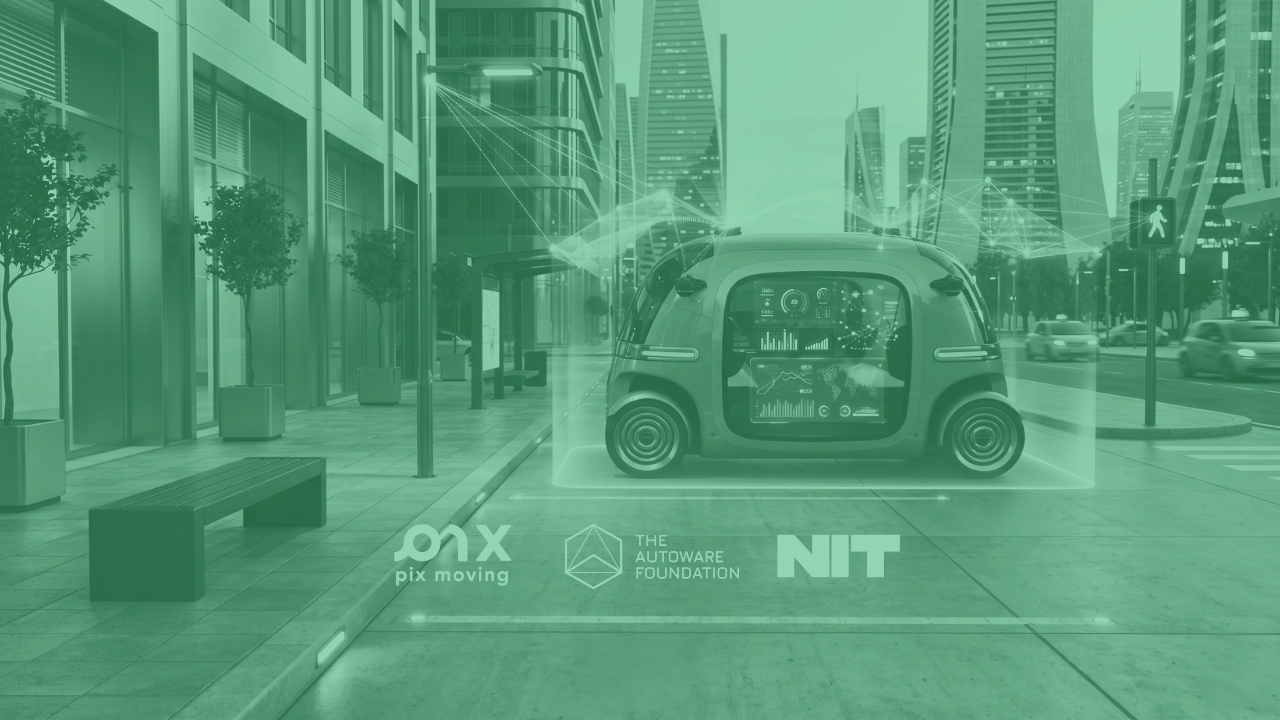
In this course you will learn the fundamentals of the Robot Operating System (ROS) and Autoware framework to design, develop, simulate and verify your own first autonomous vehicle design. The course first introduces the basics of autonomous driving development, including phases such as perception and world modelling, vehicle localization, path planning and actuation. You will learn to correctly identify and set up each building block, understanding common design patterns and state-of-the-art approaches where artificial intelligence (AI) and machine learning (ML) are used to make our vehicles “intelligent”. The course specifically teaches you to set up the ROS and Autoware development environment and work with tools such as rViz and AWSim to define, simulate and verify your vehicle behavior. You will learn how to create launch configurations with ROS nodes, develop your own nodes, build them and connect them within the Autoware components ecosystem. Finale of the course includes developing, simulating, and verifying a real-size vehicle based on PixKit – for which the course provides detailed setup and development instructions.
M1 – Motivation and Introduction
https://academy.nit-institute.com/wp-content/uploads/2026/06/pixtraining.png
Learn the key terminology, challenges, tool groups and current status of autonomous driving development.
none
30 minutes
M2 – Autonomous Driving Pipeline, Sensors and Perception
https://academy.nit-institute.com/wp-content/uploads/2026/06/pixtraining-2.png
Learn how the vehicle perceives the environment, using different sensors and sensor fusion.
none
45 minutes
M3 – Path planning and vehicle control
https://academy.nit-institute.com/wp-content/uploads/2026/06/pixtraining-3.png
Learn how vehicle learns to drive by determining the most appropriate path and positioning in the world around it. Understand the main actuation signals and interfaces to the powertrain.
none
30 minutes
M4 – Vehicle Localization and World Modeling
https://academy.nit-institute.com/wp-content/uploads/2026/06/pixtraining-4.png
Understand how the autonomous vehicle (AV) perceives and understands the world around it. Learn common sensor types, as well as the available detection and tracking algorithms including AI and ML. Learn the concepts of sensor fusion and vehicle localization.
none
30 minutes
M5 – Planning, Actuation, Safety and Software Architecture
https://academy.nit-institute.com/wp-content/uploads/2026/06/pixtraining-5.png
Understand how the autonomous vehicle (AV) plans the trajectory based on cost functions, and how it physically controls the vehicle.
none
45 minutes
M6 – Introduction to ROS and Autoware
https://academy.nit-institute.com/wp-content/uploads/2026/06/pixtraining-6.png
A hands-on introduction to setting up the development environment with ROS and Autoware under Linux, including the fully-furnished AV stack from AWF and PixMoving.
Install, set-up and build your first ROS + Autoware software with Hello World.
2 hours
M7 – World mapping and planning in Autoware
https://academy.nit-institute.com/wp-content/uploads/2026/06/pixtraining-7.png
Learn the map format and tools (rViz) used by Autoware with hands-on examples covering map creation, perception mockup and planning simulation.
Utilize rViz to set up the vehicle map and perform planning simulation on top of AWF codebase.
1 hours
M8 – Simulation and verification in Autoware with a vehicle digital twin
https://academy.nit-institute.com/wp-content/uploads/2026/06/pixtraining-8.png
A practical look at the concept of a vehicle digital twin, including its verification in the game-like simulated environment within the AWSim tool.
Hands-on installation and setup of AWSim with the PixKit codebase. Setting up scenarios. Simulating sensor data and creating custom sensors. Verifying vehicle behavior using the correct KPIs.
3 hours
M9 – Deep dive into Autoware
https://academy.nit-institute.com/wp-content/uploads/2026/06/pixtraining-9.png
Learn in-depth configuration of Autoware nodes within the perception, planning and control groups. Learn how to customize node configuration and existing code and create your own flavour of AV behavior.
Identify and edit/update the configuration and codebase of select Autoware nodes to modify important elements, such as detected object boundaries, vehicle attack path, powertrain actuation smoothness, and more.
4 hours
M10 – Setting up PixKit
https://academy.nit-institute.com/wp-content/uploads/2026/06/pixtraining-10.png
Get familiar with PixKit – a full-size EV chassis fully operated using Autoware. Learn to set up the physical vehicle and bring it to life with basic operation and control, how to perform hardware check, sensor calibration, and map the space.
PixKit unboxing and physical setup until the vehicle “comes to life”.
4 hours
M11 – Programming PixKit with Autoware
https://academy.nit-institute.com/wp-content/uploads/2026/06/pixtraining-11.png
Learn how to instantiate PixKit within the Autoware framework, using all the necessary tools from AWF. Learn how to adjust and expand sensing and vehicle interface nodes for your specific use case.
Build the PixKit vehicle model within Autoware, then configure and simulate it using RViz and AWSim. Make select adjustments to the sensor and vehicle interface nodes and test those changes in the simulator.
4 hours
M12 – PixKit verification in simulation and on the test track
https://academy.nit-institute.com/wp-content/uploads/2026/06/pixtraining-12.png
Learn how to test PixKit, both in the simulated environment and on the test track. Learn how to identify potential issues and perform software (SW) updates for the vehicle.
First, set up exemplary simulation scenarios within AWSim and then on your test track. Verify the vehicle’s behavior for correctness. Perform exemplary code updates and learn how to redeploy software to the vehicle.
2 hours (simulation) + 7 hours (test track)
Project (certificate-track version only)
none
none
Develop and quickly verify a selected scenario for either the digital twin, full-size vehicle (or both) according to your interest with a help of an expert mentor. Work is performed with PixKit within ROS and Autoware.
14 hours
Final Exam (full course version only)
none
none
none
1 hour